

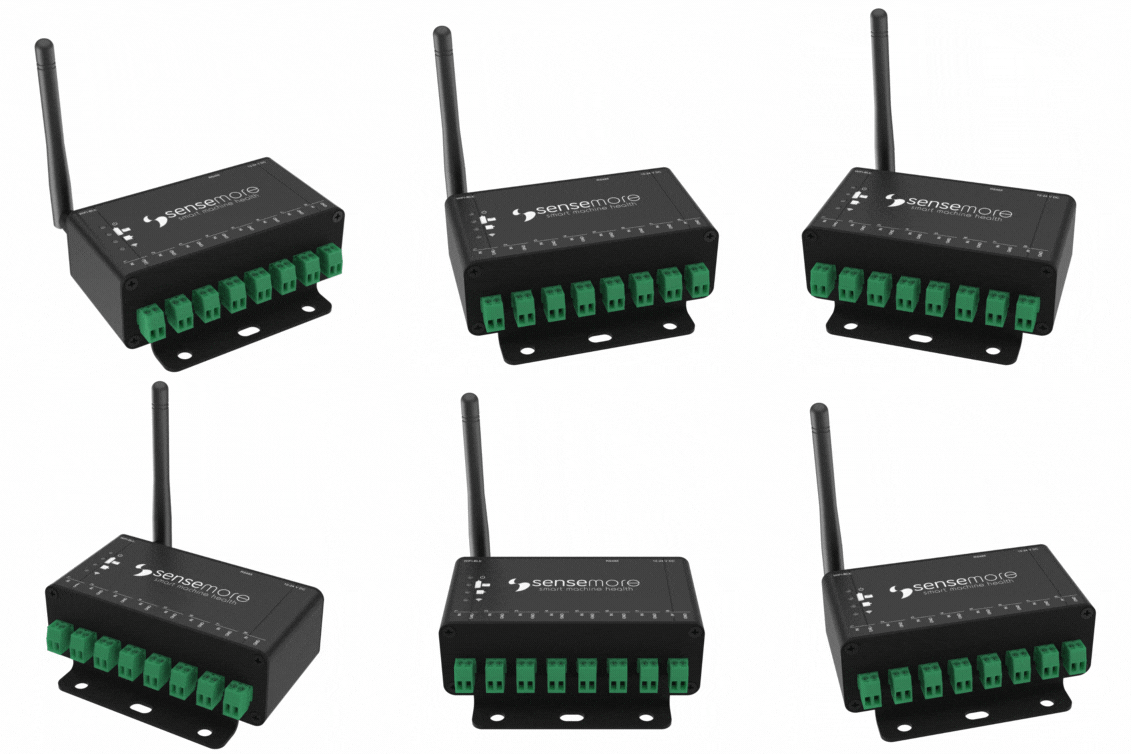
Senseway is a gateway for Wired Pro, Infinity, Infinity Pro and Nomad sensors. Senseway handles networking, measurement scheduling, sleep, firmware update and more for Sensemore sensors.
The data acquisition devices page covers the Senseway hardware. For an installation guide, get in touch.
Before starting to speak about Senseway system integration, configure your Senseway’s MQTT, NTP and HTTP settings.
Accessing Configuration Page
Shortly after the Senseway is plugged in, it broadcasts a Wi-Fi access point network with SENSEWAY-CA:B8:50:XX:XX:XX SSID. Use default password to connect to the AP. Your device will launch configuration page in captive portal. If your device does not automatically launch captive portal, navigate to http://192.168.4.1 in your default browser.
Once Senseway is connected to a network via Wi-Fi or Ethernet, its configuration page can be accessed through its local IP address from the same network. The local IP address is displayed on the home tab of the configuration page and is also shown in the MQTT information message.
Connectivity
Wi-Fi & Ethernet
Senseway supports both Wi-Fi and Ethernet for network connections. By default, the network adapter is set to Wi-Fi, but this can be modified in the Settings of the Configuration page Settings > Connectivity.
NTP
Time information is also used in the measurement messages sent by Senseway. Time synchronization is needed for this. For OnPremise or private installations, default NTP server can be modified in Senseway Configuration page Settings > NTP.
Default: http://pool.ntp.org/
MQTT
Senseway needs MQTT / TLS configuration and supports variety of authentication mechanisms including: plaintext MQTT, MQTTs with and without password, and MQTTs with Client certificate.
The MQTT Broker Server to be used must support TLS and provide the following for certificate-based connections:
- MQTT endpoint (mqtts: //my-mqtt-broker.server: 8883)
- CA (CA certificate)
- Client Cert (a created and signed certificate from CA)
- Client Key (private key of the certificate generated through the CA)
Required certificates and endpoint information are defined at Settings > MQTT in the Senseway configuration page. Senseway uses these certificates for the future MQTT connections.
Details https://www.hivemq.com/blog/mqtt-security-fundamentals-tls-ssl/
HTTP
Senseway can be controlled over HTTP, allowing for configuration modifications and measurement actions on attached devices. Accessing HTTP endpoints requires an initial login, after which the received token must be used for subsequent communications. Detailed information about HTTP endpoints, including those utilized by the Senseway Configuration Web Page, is available in the HTTP Integration section.
MQTT Integration
This section explains which topics to use when communicating with Senseway over MQTT and how messages should be interpreted.
Actor sends Payload with PayloadType format to Topic
Information
When Senseway powers on, it publishes a status message containing basic device information including Firmware Version. This status message can also be retrieved using the following topic:
| Actor | Topic | Payload Type | Payload Schema | Example |
|---|---|---|---|---|
| User | sensemore/<GatewayMac>/info | JSON | Empty JSON | |
| Senseway | sensemore/<GatewayMac>/info/accepted | JSON |
|
|
Firmware Update Over the Air (OTA)
Sensemore devices accept firmware update over HTTP. In order to start firmware update on the device, valid binary link sent to firmware update topic. Senseway downloads the binary from given url and start firmware update.
| Actor | Topic | Payload Type | Payload Schema | Example |
|---|---|---|---|---|
| User | sensemore/<GatewayMac>/ota | JSON | http url |
|
| Senseway | sensemore/<GatewayMac>/ota/accepted | JSON | Status JSON |
|
| Senseway | sensemore/<GatewayMac>/ota/rejected | Text | Error Text | Invalid payload! Url can't be null. Valid payload scheme: { "url":"http://link.mydomain.com/Senseway.bin" } |
| Senseway | sensemore/<GatewayMac>/restart | JSON | Status JSON |
|
Restart
Senseway can be restarted using the following topic.
| Actor | Topic | Payload Type | Payload Schema | Example |
|---|---|---|---|---|
| User | sensemore/<GatewayMac>/restart | JSON | Empty JSON |
Measurement Upload URL
Senseway manages measurement uploads for attached devices by publishing metadata over MQTT and transmitting signal binaries via HTTP.
The default binary upload URL is https://core.sensemore.io/measurement/,
however, the URL can be retrieved or modified using the following topic.
| Actor | Topic | Payload Type | Payload Schema | Example |
|---|---|---|---|---|
| User | sensemore/<GatewayMac>/binaryurl/get | JSON | Empty JSON | |
| Senseway | sensemore/<GatewayMac>/binaryurl/get/accepted | JSON | Binary URL JSON |
|
| Actor | Topic | Payload Type | Payload Schema | Example |
|---|---|---|---|---|
| User | sensemore/<GatewayMac>/binaryurl/set | JSON | Binary URL JSON |
|
| Senseway | sensemore/<GatewayMac>/binaryurl/set/accepted | JSON | Status JSON |
|
Senseway - Wired Pro Communication Speed
Senseway communicates with Wired Pro over RS485, which has a theoretical range of up to one kilometer. This allows Senseway and Wired Pro to be placed up to 1 km apart and connected via an RS485 cable. As the distance between them increases, the baudrate must be lowered to increase reliability. Baudrate refers to the number of bits transmitted per second. At shorter distances, increasing the baudrate can increase communication speed between Senseway and Wired Pro. The baudrate can be viewed or modified via MQTT using the following topic.
:warning: When connecting multiple Wired Pros to the same Senseway, a bus topology must be used, ensuring no parallel lines are present.
| Actor | Topic | Payload Type | Payload Schema | Example |
|---|---|---|---|---|
| User | sensemore/<GatewayMac>/baudrate/get | JSON | Empty JSON | |
| Senseway | sensemore/<GatewayMac>/baudrate/get/accepted | JSON | Baudrate JSON |
|
Valid badurate values: 115200, 460800, 921600, 1000000
| Actor | Topic | Payload Type | Payload Schema | Example |
|---|---|---|---|---|
| User | sensemore/<GatewayMac>/baudrate/set | JSON | Baudrate JSON |
|
| Senseway | sensemore/<GatewayMac>/baudrate/set/accepted | JSON | Status JSON |
|
Device List
The list of devices attached to Senseway, along with their measurement configurations, can be retrieved using the following topic.
| Actor | Topic | Payload Type | Payload Schema | Example |
|---|---|---|---|---|
| User | sensemore/<GatewayMac>/device-list/get | JSON | Empty JSON | |
| Senseway | sensemore/<GatewayMac>/device-list/get/accepted | JSON | Scan JSON |
|
Senseway evaluates the connection status of each assigned sensor upon receiving a scan command. It then publishes a result message that includes the Firmware Version of each connected device.
:warning: Infinity, Infinity Pro and Nomad may appear as “not scanned” if they are on sleeping schedule.
| Actor | Topic | Payload Type | Payload Schema | Example |
|---|---|---|---|---|
| User | sensemore/<GatewayMac>/devices/get | JSON | Empty JSON | |
| Senseway | sensemore/<GatewayMac>/devices/get/accepted | JSON | Config JSON |
|
Device Firmware Update Over The Air (OTA)
Sensemore end node devices accept firmware update over HTTP. In order to start firmware update on end-node device, valid binary link sent to firmware update topic. Senseway downloads the binary from given url and start firmware update for particular device.
| Actor | Topic | Payload Type | Payload Schema | Example |
|---|---|---|---|---|
| User | sensemore/<GatewayMac>/device/<DeviceMac>/ota | JSON | http url |
|
| Senseway | sensemore/<GatewayMac>/device/<DeviceMac>/ota/accepted | JSON | Status JSON |
|
| Senseway | sensemore/<GatewayMac>/device/<DeviceMac>/ota/rejected | Text | Error Text | Invalid payload! Url can't be null. Valid payload scheme: { "url":"http://example.com" } |
| Senseway | sensemore/<GatewayMac>/device/<DeviceMac>/ota/done | JSON | Status JSON |
Device Add & Remove
The devices attached to Senseway can be viewed or modified using the following topics.
| Actor | Topic | Payload Type | Payload Schema | Example |
|---|---|---|---|---|
| User | sensemore/<GatewayMac>/device/add | JSON | Mac JSON |
|
| Senseway | sensemore/<GatewayMac>/device/add/accepted | JSON | Status JSON |
|
| Actor | Topic | Payload Type | Payload Schema | Example |
|---|---|---|---|---|
| User | sensemore/<GatewayMac>/device/remove | JSON | Mac JSON |
|
| Senseway | sensemore/<GatewayMac>/device/remove/accepted | JSON | Status JSON |
|
Device Measurement Configuration
Senseway is compatible with both wired sensors (Wired Pro) and wireless sensors (Infinity, Infinity Pro, Nomad). Wireless sensors typically utilize a sleep schedule feature to extend their battery life, allowing for operation of up to 2 years on a single charge.
| Device Config | Explaniation | |
|---|---|---|
|
|
The configuration of a specific device can be retrieved using the following topic.
| Actor | Topic | Payload Type | Payload Schema | Example |
|---|---|---|---|---|
| User | sensemore/<GatewayMac>/device/<DeviceMac>/config/get | JSON | Empty JSON | |
| Senseway | sensemore/<GatewayMac>/device/<DeviceMac>/config/get/accepted | JSON | Config JSON |
|
The configuration of a specific device can be modified using the following topic.
| Actor | Topic | Payload Type | Payload Schema | Example |
|---|---|---|---|---|
| User | sensemore/<GatewayMac>/device/<DeviceMac>/config/set | JSON | Config JSON |
|
| Senseway | sensemore/<GatewayMac>/device/<DeviceMac>/config/set/accepted | JSON | Status JSON |
|
Measurement
Senseway initiates automatic measurement using the scheduling feature. It also accepts manual measurements from the Sensemore Lake platform as well as MQTT based on the configurations set previously. MQTT measurement topics are as follows.
| Actor | Topic | Payload Type | Payload Schema | Example |
|---|---|---|---|---|
| User | sensemore/<GatewayMac>/device/<DeviceMac>/measure/<MeasuremnetUUID> | JSON | Empty JSON | |
| Senseway | sensemore/<GatewayMac>/device/<DeviceMac>/measure/<MeasuremnetUUID>/accepted | JSON | Status JSON |
|
| Senseway | sensemore/<GatewayMac>/device/<DeviceMac>/measure/<MeasuremnetUUID>/done | JSON | Status JSON |
|
| Senseway | sensemore/<GatewayMac>/device/<DeviceMac>/measure/<MeasuremnetUUID>/metadatas | JSON | Metadata JSON |
|
HTTP Integration
Senseway offers extensive HTTP endpoints for retrieving or modifying settings on Senseway and its attached devices.
Some endpoints require an authentication token in the header. Endpoints requiring an authentication token in the header are marked with the 🔐 symbol.
This token is obtained using the Login endpoint, as shown below:
Login
| Method | Endpoint | Content-Type | Example |
|---|---|---|---|
| POST | /login | application/json |
|
| GET | /login | application/json |
|
Include your token in the Header
Once the authentication token is obtained via the Login endpoint, it must be included in the header of each HTTP request for 🔐 endpoints, as shown below.
{
  "Authorization": "CLjziyTeTzlMsv100mvgkxnTQl1nGYXpQvsIStAW16WrMjxzLvhNTOGhcFFzU38mT8sHKFhxBOm3309qxSmzKIHJux3rUbjVTkywmayA1O05hKaQn9jlY99YMmp1NorF"
}
Logout
| Method | Endpoint | Content-Type | Example |
|---|---|---|---|
| POST | /logout | application/json |
Information
Basic information about the device, including its Firmware Version, can be retrieved using the following HTTP endpoint:
| Method | Endpoint | Content-Type | Example |
|---|---|---|---|
| GET | /info | application/json |
|
🔐 Change Password
The device’s HTTP and web configuration interface password can be changed using the following HTTP endpoint:
| Method | Endpoint | Content-Type | Example |
|---|---|---|---|
| PUT | /change_password | application/json |
|
🔐 NTP
Time information is part the measurement messages sent by Senseway. NTP configuration can be retrieved or modified using the following HTTP endpoint:
| Method | Endpoint | Content-Type | Example |
|---|---|---|---|
| GET | /sntp | application/json |
|
| POST | /sntp | application/json |
|
🔐 Firmware Update Over the Air (OTA)
| Method | Endpoint | Content-Type | Example |
|---|---|---|---|
| POST | /ota | application/octet-stream | {} |
🔐 Restart
Senseway can be restarted using the following endpoint.
| Method | Endpoint | Content-Type | Example |
|---|---|---|---|
| GET | /restart | application/json |
🔐 Measurement Upload URL
Senseway manages measurement uploads for attached devices by publishing metadata over MQTT and transmitting signal binaries via HTTP.
The default binary upload URL is https://core.sensemore.io/measurement/,
however, the URL can be retrieved or modified using the following endpoint.
| Method | Endpoint | Content-Type | Example |
|---|---|---|---|
| GET | /binary-url | application/json |
|
| POST | /binary-url | application/json |
|
🔐 Senseway - Wired Pro Communication Speed
Senseway communicates with Wired Pro over RS485, which has a theoretical range of up to one kilometer. This allows Senseway and Wired Pro to be placed up to 1 km apart and connected via an RS485 cable. As the distance between them increases, the baudrate must be lowered to increase reliability. Baudrate refers to the number of bits transmitted per second. At shorter distances, increasing the baudrate can increase communication speed between Senseway and Wired Pro. The baudrate can be viewed or modified via HTTP using the following endpoint.
:warning: When connecting multiple Wired Pros to the same Senseway, a bus topology must be used, ensuring no parallel lines are present.
| Method | Endpoint | Content-Type | Example |
|---|---|---|---|
| GET | /baudrate | application/json |
|
| POST | /baudrate | application/json |
|
Valid badurate values: 115200, 460800, 921600, 1000000
🔐 Device List
The list of devices attached to Senseway, along with their measurement configurations, can be retrieved using the following endpoint.
| Method | Endpoint | Content-Type | Example |
|---|---|---|---|
| GET | /device-count | application/json |
|
| Method | Endpoint | Content-Type | Example |
|---|---|---|---|
| GET | /device-list | application/json |
|
Senseway evaluates the connection status of each assigned sensor upon receiving a scan command. It then sends a result message that includes the Firmware Version of each connected device.
:warning: Infinity, Infinity Pro and Nomad may appear as “not scanned” if they are on sleeping schedule.
| Method | Endpoint | Content-Type | Example |
|---|---|---|---|
| GET | /devices | application/json |
|
🔐 Device Firmware Update Over The Air (OTA)
| Method | Endpoint | Content-Type | Example |
|---|---|---|---|
| POST | /device-ota | application/octet-stream |
|
🔐 Device Add & Remove
The devices attached to Senseway can be viewed or modified using the following endpoints.
| Method | Endpoint | Content-Type | Example |
|---|---|---|---|
| POST | /device-add | application/json |
|
| Method | Endpoint | Content-Type | Example |
|---|---|---|---|
| POST | /device-remove | application/json |
|
🔐 Device Measurement Configuration
Senseway is compatible with both wired sensors (Wired Pro) and wireless sensors (Infinity, Infinity Pro, Nomad). Wireless sensors typically utilize a sleep schedule feature to extend their battery life, allowing for operation of up to 2 years on a single charge.
| Device Config | Explaniation | |
|---|---|---|
|
|
The configuration of a specific device can be retrieved using the following topic.
| Method | Endpoint | Content-Type | Example |
|---|---|---|---|
| GET | /device-config | application/json |
|
| POST | /device-config | application/json |
|
🔐 Measurement
Senseway initiates automatic measurement using the scheduling feature. It also accepts manual measurements from the Sensemore Lake platform as well as MQTT & HTTP based on the configurations set previously. HTTP measurement endpoints are as follows.
| Method | Endpoint | Content-Type | Example |
|---|---|---|---|
| Post | /device-measure | application/json |
|