

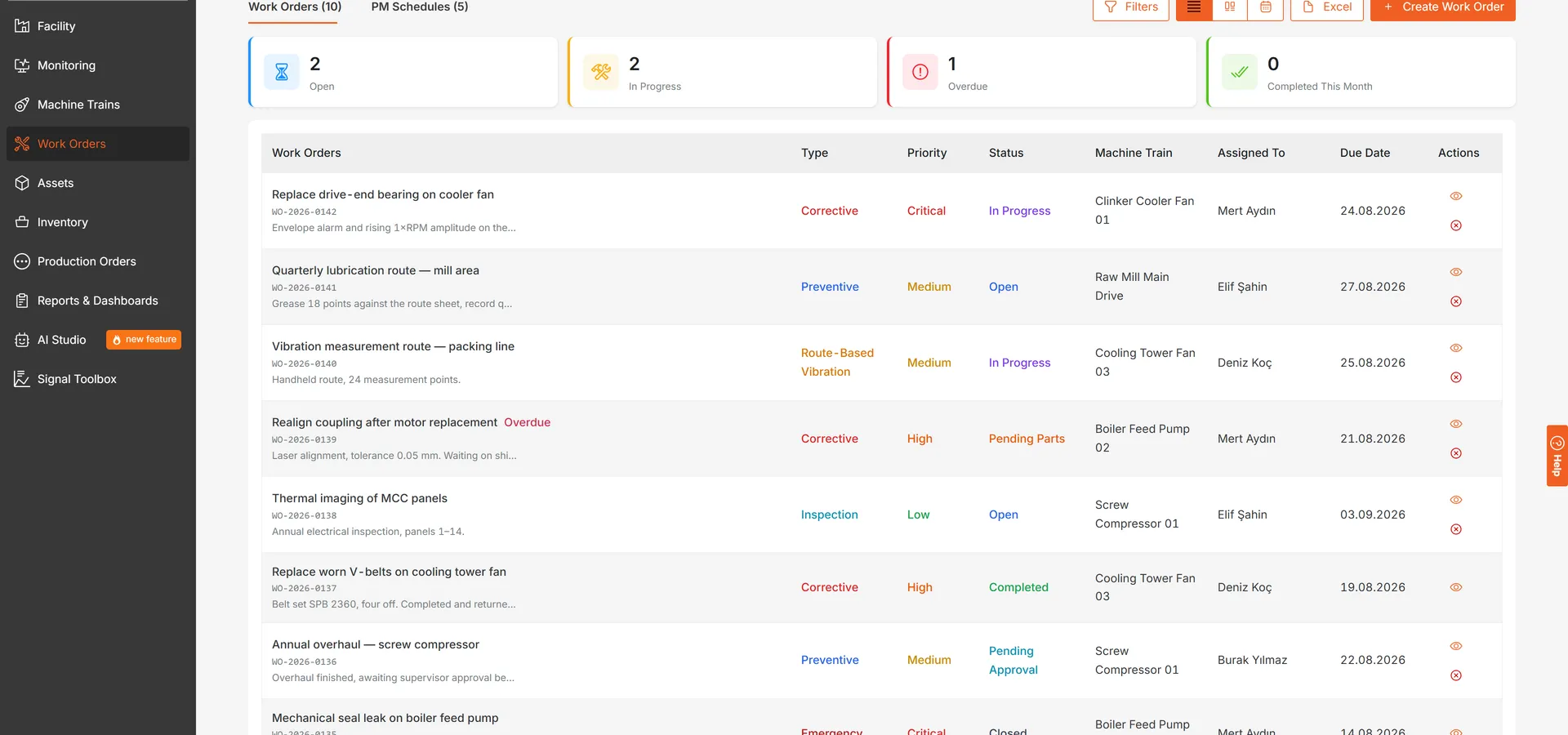
Maintenance management is now part of LAKE. Work orders, preventive maintenance schedules, a spare parts store and an asset register sit in the platform alongside the measurements that make the case for the work. A finding on a machine can be turned into a work order, the work order records what was actually done about it, and the maintenance KPIs are calculated from those records rather than kept in a spreadsheet beside them.
Work Orders
A work order moves through nine states: draft, open, in progress, on hold, pending parts, pending approval, completed, cancelled and closed. It carries the detail that makes it worth reading afterwards:
- Checklist. Steps marked required or optional, each recording who completed it and when.
- Labour. Start and end times per person, at regular, overtime or emergency rates.
- Parts. What the job needed and what it actually used, priced at what the store paid.
- Activity log. Every status change, assignment and comment, with attachments.
- Closing detail. The cause of the failure, the action taken, and the health status the machine was left in.
Work orders can be read as a list, as a Kanban board where a card is dragged from one state to the next, or on a calendar. Nine types are available: corrective, preventive, predictive, condition-based, emergency, inspection, route-based vibration, project and modification. Each work order also records where it came from, so a job someone raised by hand and a job that came out of an inspection can still be told apart months later.
Route-based vibration work orders track their own progress: how many of the machine’s measurement points have been collected, against how many the route expected.
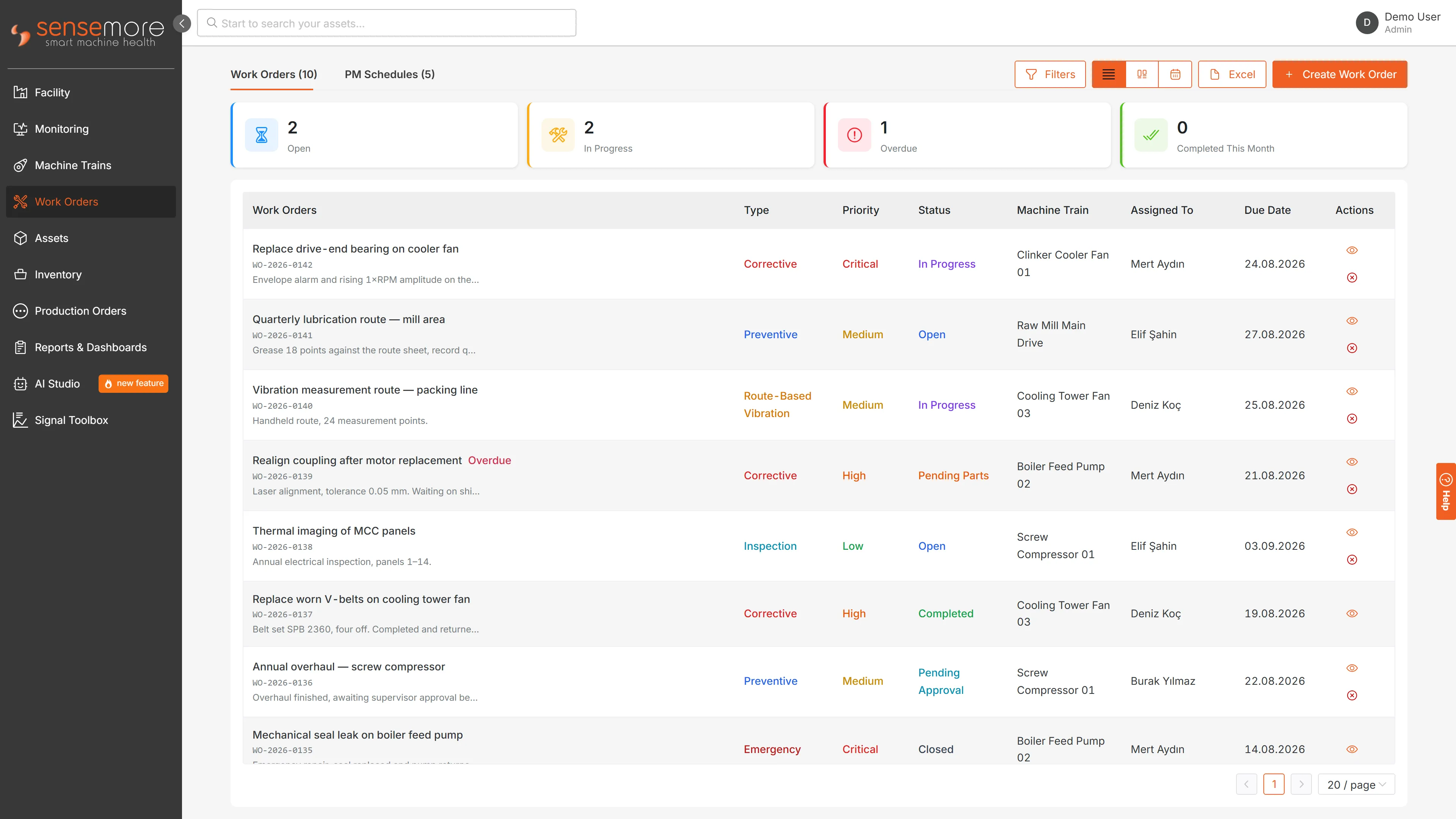
The same work orders on the board, where a card is dragged from one state to the next:
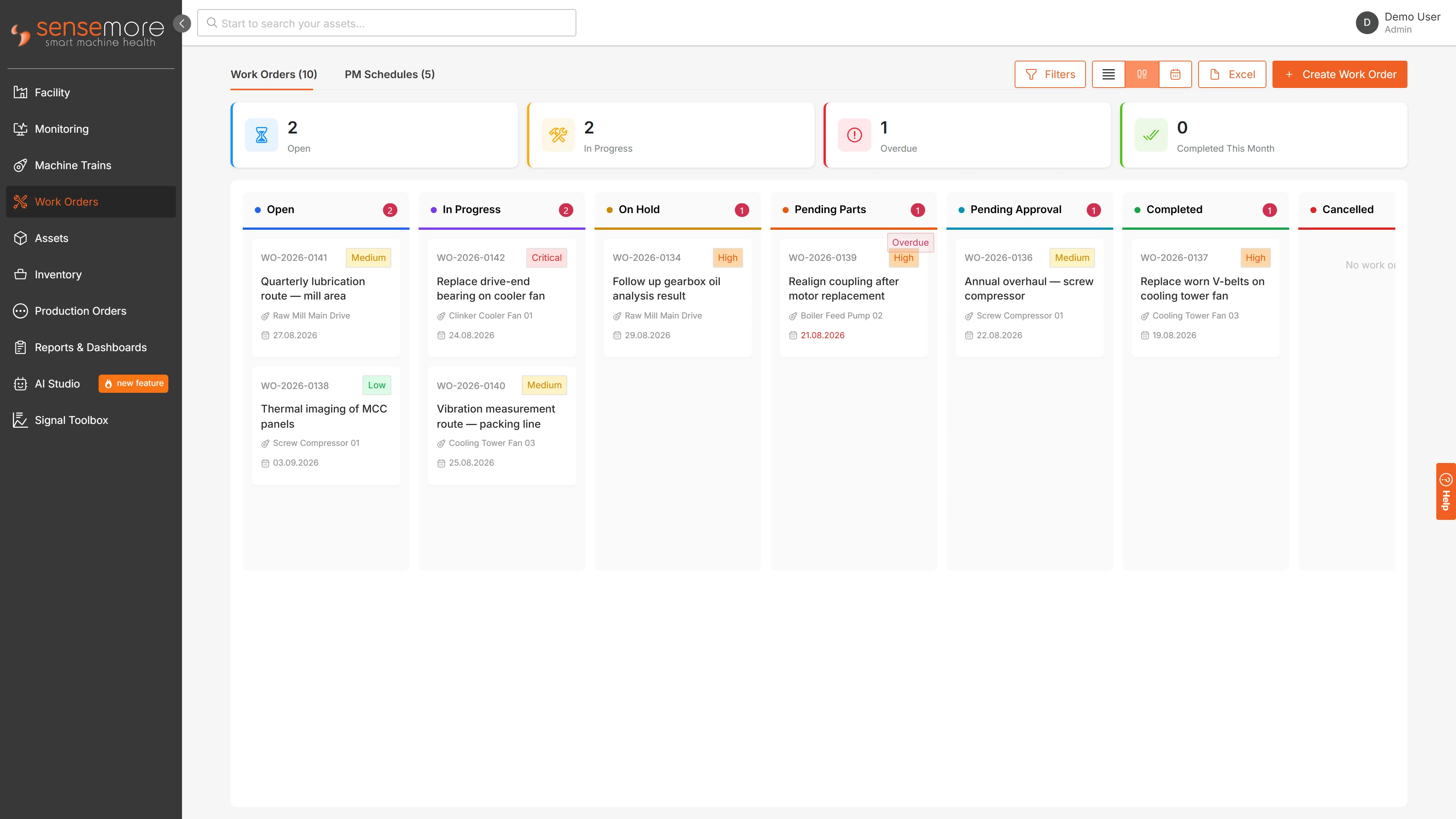
And on the calendar, with the type filter down the side:
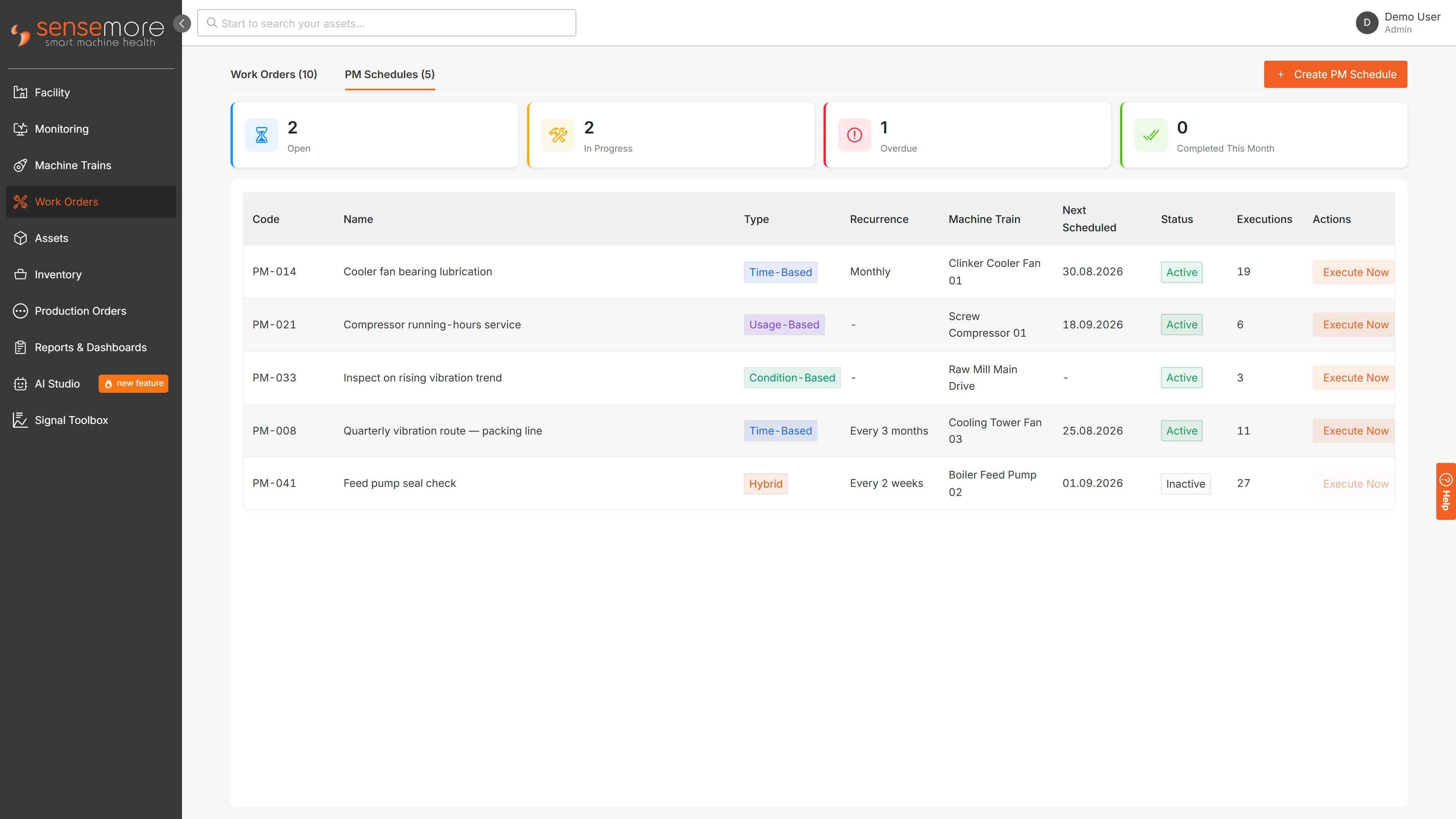
Preventive Maintenance Schedules
A schedule says when work is due. It can be driven by a date: daily, weekly, monthly or yearly, at an interval you choose, ending never, after a set number of occurrences, or on a given day. It can be driven by accumulated usage, when a counter passes a threshold since the job was last done. It can be driven by the condition of the machine, naming a threshold, S-Mode or trend alarm at a severity you decide is worth acting on. Or by a combination of these.
Running a schedule raises the work order with its task list already attached, and records the execution against the schedule, so the history of a recurring job stays in one place.
Spare Parts and Stock
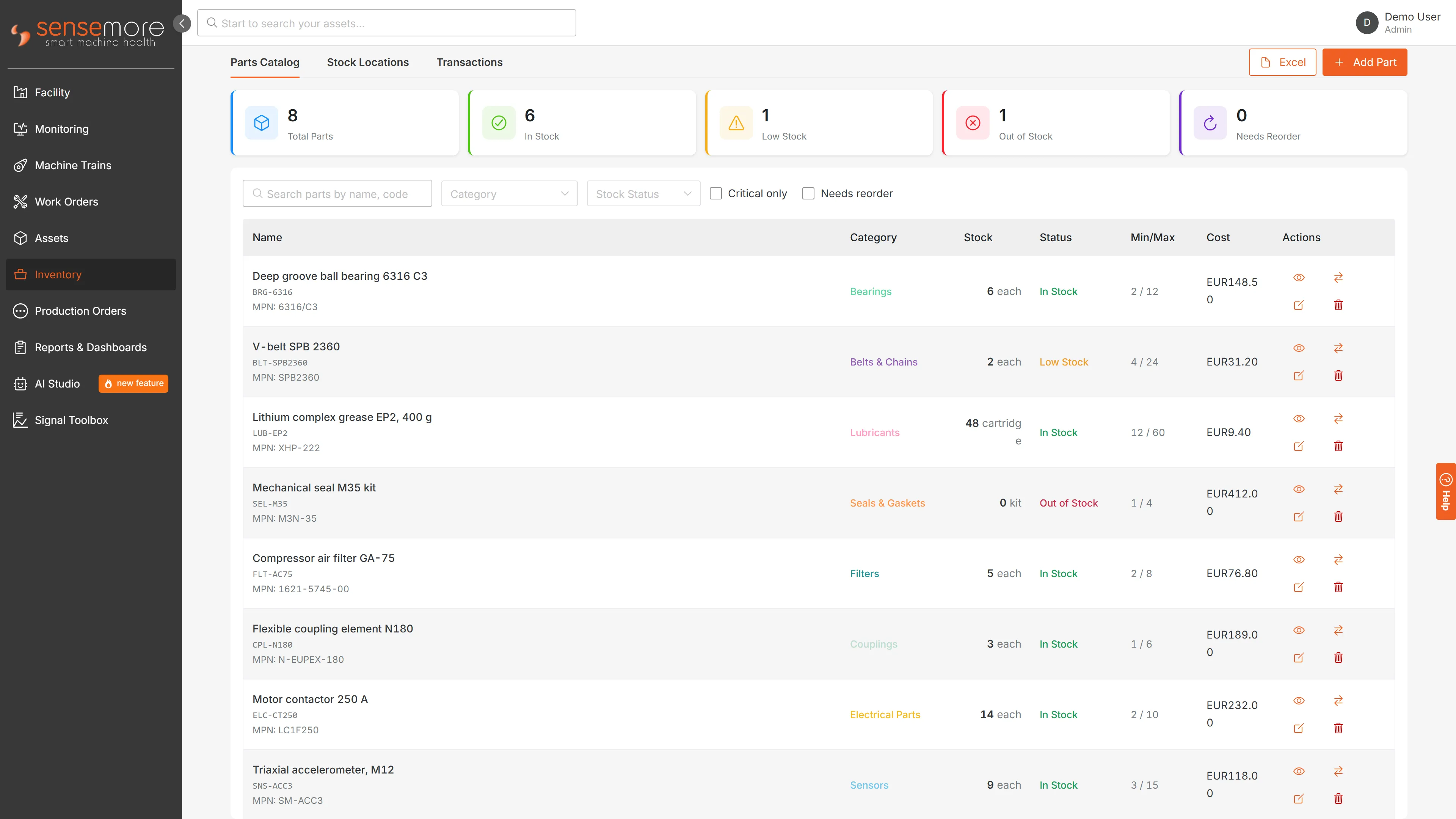
The parts catalogue holds what maintenance actually consumes, sorted into categories (bearings, belts and chains, seals and gaskets, couplings, gearboxes, pumps, valves, filters and lubricants among them), and each part carries its suppliers, their lead times and unit costs, a preferred supplier, the equipment it fits, and a reorder point.
Stock is tracked per location, and the status of a part (in stock, low, out of stock, overstocked or discontinued) is derived from the quantities rather than set by hand. Reserved quantities are held apart from what is genuinely available. Every movement is recorded by kind: receipts and issues, returns, transfers in and out, adjustments in and out, scrap, cycle counts and opening stock. Parts issued to and returned from a work order are kinds of their own, so what a job consumed can be told apart from what the store issued in general. A receipt updates the moving average cost of the part; issuing parts to a work order takes them out of stock in the same step.
The Asset Register
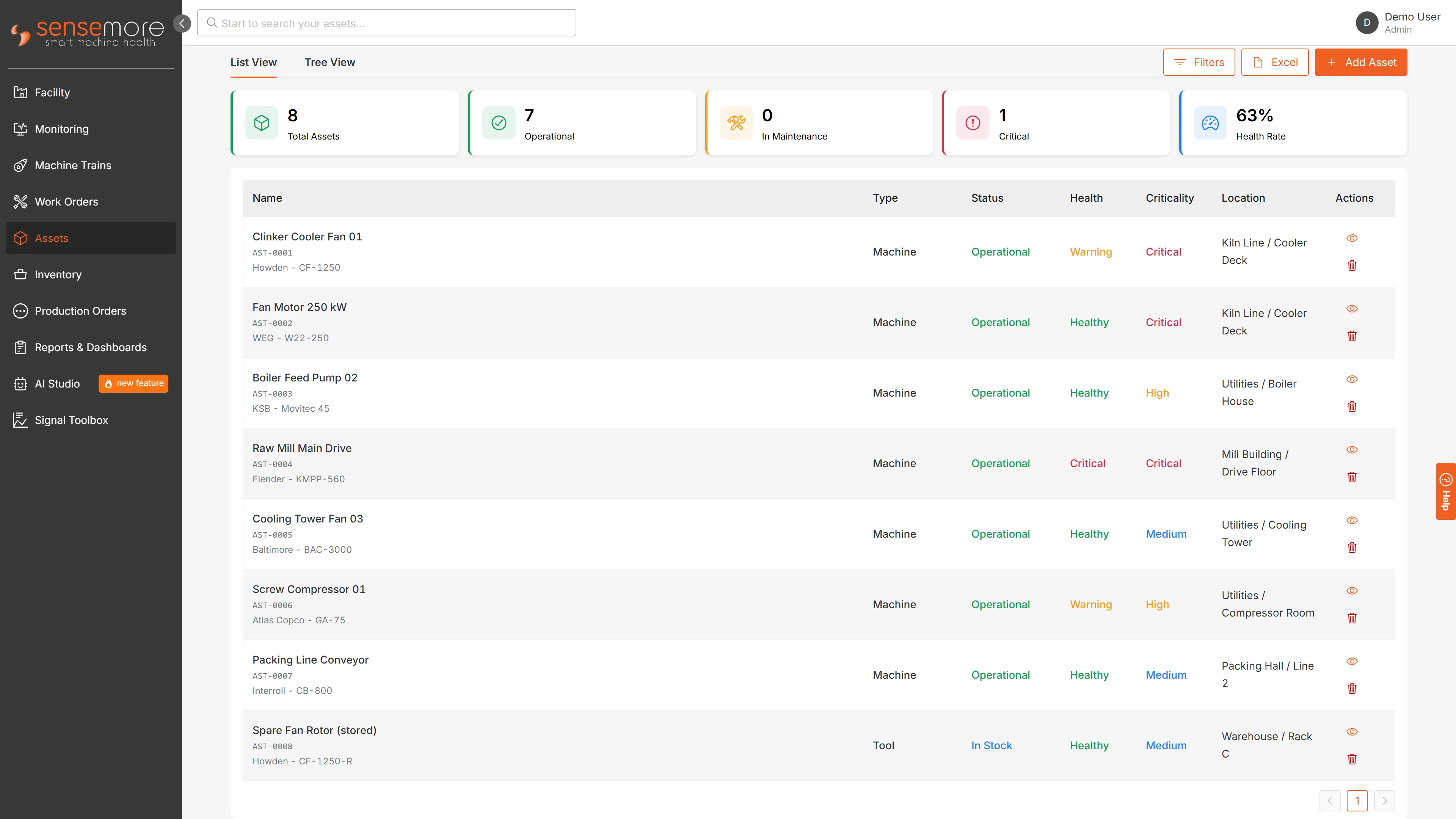
Assets sit in a parent-and-child hierarchy, and each one holds:
- A QR code, generated when the asset is created, and a barcode if it has one.
- Its physical location and its criticality.
- Purchase cost and date, depreciation method, and the depreciated value that follows from them.
- Warranty expiry, attached documents, and a lifecycle history of status changes, transfers and maintenance events.
Maintenance KPIs
The facility view gained a maintenance KPI tab: MTTR, MTBF, availability and preventive maintenance compliance, all computed from the work orders themselves.
Two decisions in that calculation are worth stating plainly, because they are the ones that usually flatter a maintenance report. Planned maintenance is not counted as failure downtime when operating hours are worked out, so a well-maintained plant is not punished for the time it spends being maintained. And when a period holds no failures, or the scope holds no preventive schedules, the figure is reported as unknown rather than as a perfect score.
Excel In and Out
Work orders, parts and assets can each be exported to Excel, and imported from it. An import is validated before anything is written, and the result of that validation is shown for review first, so a bad column in a supplier’s spreadsheet is something you read about rather than something you discover later in the data.
Where to Find It
Work Orders, Assets and Inventory are in the left-hand navigation. The maintenance KPI tab is on the facility page. There is a summary of the module on the Sensemore Platform page.
Frequently asked questions
What does maintenance management in Sensemore LAKE cover?
It covers work orders, preventive maintenance schedules, a spare parts store and an asset register, together with a maintenance KPI view. Work orders carry checklists, labour hours, the parts used and an activity log; schedules say when a recurring job is due; the store tracks parts, suppliers and stock movements; and the register holds assets in a hierarchy with QR codes, criticality and lifecycle history.
Do preventive maintenance schedules create work orders on their own?
No. A schedule defines when a job is due (by date, by accumulated usage, by machine condition, or a combination), and running that schedule creates the work order with its task list already attached. The execution is recorded against the schedule, so the history of a recurring job stays in one place, but raising the work order is a deliberate step rather than something that happens silently in the background.
How are MTTR and MTBF calculated from work orders?
MTTR is the mean wallclock time to recover, taken from completed work orders that have both a start and an end. MTBF divides operating hours by the number of failure work orders, where operating hours are scheduled hours less time lost to failures. Planned maintenance counts as part of operating time, not as a failure. When a period contains no failures, MTBF is reported as undefined rather than as a flattering number.
Can spare parts be issued directly to a work order?
Yes. Parts needed for a job are listed on the work order, and issuing them takes the quantity out of stock in the same step, so the store and the job never disagree about what was consumed. Each part carries suppliers, lead times, a reorder point and a stock status derived from the quantities themselves, and every receipt, issue, transfer, adjustment and return stays on the record.
Does every asset get a QR code?
Yes. A QR code is generated when an asset is created, and an asset can be looked up by that code, so a technician standing in front of a machine can open its record without searching for it. Alongside the code, an asset holds its place in the equipment hierarchy, its criticality, purchase and warranty records, attached documents and a lifecycle history of what has happened to it.